Guide
Match night: live scores and scorecards
How captains score frames on a phone, live Match Hub updates, frame checks, and Share Night round-ups.
Match night is where most leagues save the most time. Instead of collecting paper cards or chasing photos of scribbled sheets in a group chat, captains open the scorecard on their phone and tap the frame winners as the night goes on.
Scoring on a phone
- One-tap frame entry — captains log in to Team Admin, pick tonight’s fixture, pick the home and away players for each frame, and tap who won.
- Save & Stay — saving as you go keeps your place on the page and pushes the latest score straight to the public site without finishing the match early.
- Clearances — if your league tracks Break & Dish or Reverse Dish, captains can tick the badge on that frame in the same tap.
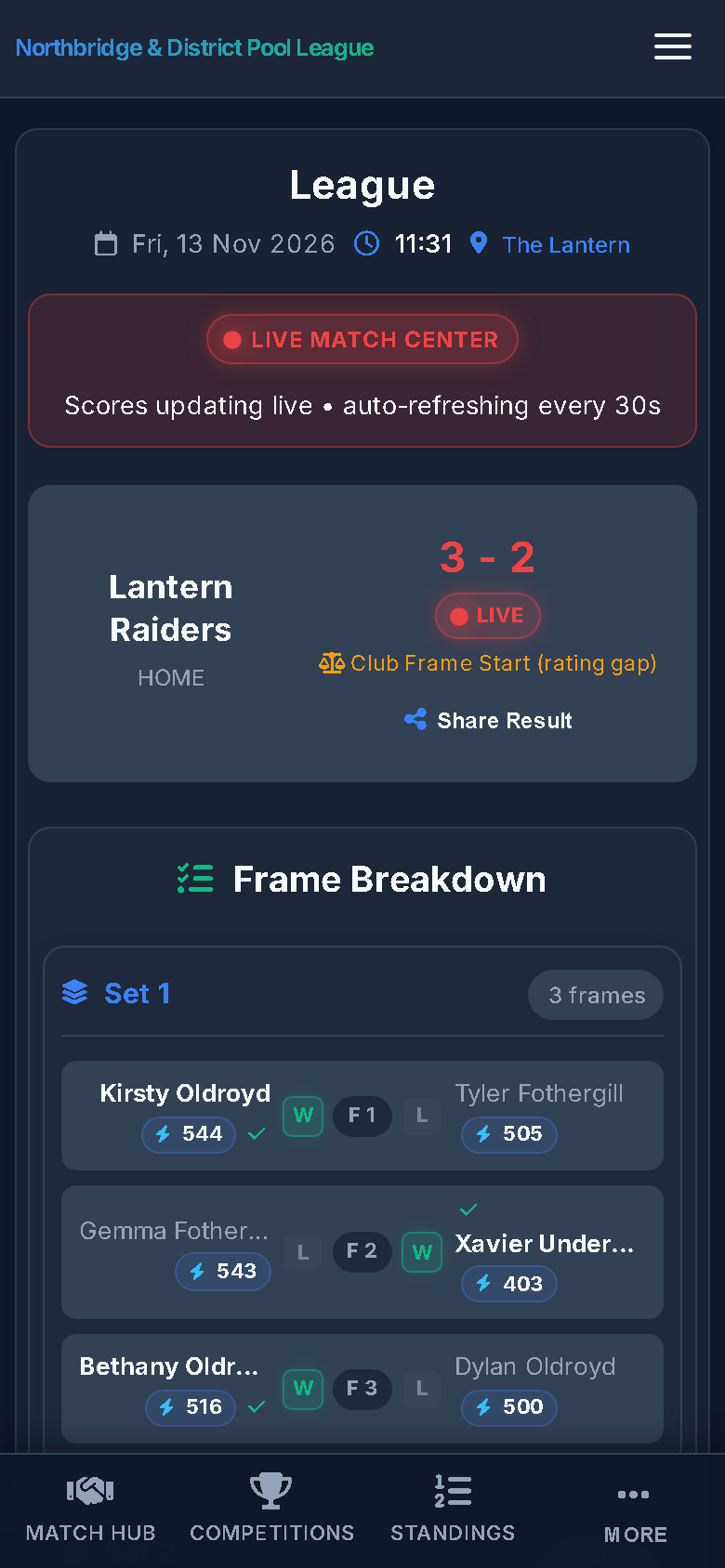 Sample data
Built-in frame checks
The scorecard catches common mistakes before they ever reach the table:
- Squad membership — only active players on that team’s squad can be picked, and removed players are blocked automatically.
- Set limits — if your rules say a player can only play once per set, the scorecard enforces it (or warns, depending on your setting).
- Doubles guards — the same player cannot be picked as both partners in a doubles frame, or on both sides of the same frame.
Live Match Hub and Share Night
While frames are being played, the fixture shows a LIVE badge on the homepage Match Hub and updates on supporters’ phones without a page refresh. Once the last frame is scored and the match is finalised, the card locks, the table and ratings update, and you can tap Share Night or Share Result to post a ready-made summary to WhatsApp, Facebook, or X — or download the scorecard as an image.